
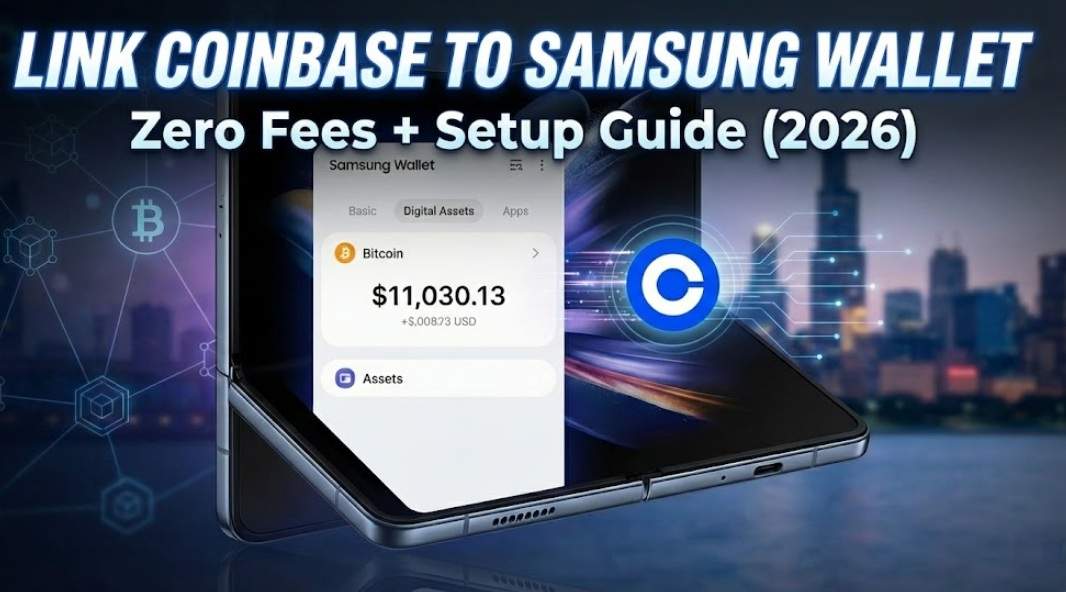
Link Coinbase to Samsung Wallet: Setup Guide & Zero Fee Promo (2026)
Stop switching apps to check your Bitcoin balance.
If you own a Samsung Galaxy device and trade on Coinbase, you are likely missing out on one of the ecosystem’s most underrated features. Integrating Coinbase with Samsung Wallet doesn’t just let you view your portfolio from your lock screen—it unlocks a secure, hardware-backed environment for your assets and, for a limited time, a premium financial benefit.
By linking your accounts today, you don’t just get convenience; you gain access to a 3-month free trial of Coinbase One (zero trading fees) and potential cash bonuses for new users.
Here is the only guide you need to set it up, secure it, and claim your rewards.
## Quick Guide: Linking Accounts in 60 Seconds
For the busy pros:
Open the Samsung Wallet app on your Galaxy device.
Tap the Quick Access tab (bottom menu) or swipe up from the home screen.
Scroll down to Digital Assets and tap the (+) or “Add” button.
Select Coinbase from the partner list.
Log in with your Coinbase credentials and tap “Authorize” to sync.
Don’t see the update? Ensure your Samsung Wallet app is updated to version 5.4.00 or higher via the Galaxy Store.
Why Link Them? More Than Just a Balance Check
Most people think this integration is just about seeing numbers go up (or down). It’s actually about speed and security hygiene.
1. The “Glanceable” Convenience
Crypto moves fast. Unlocking your phone, finding the Coinbase app, and waiting for FaceID takes time. With Samsung Wallet, your portfolio balance lives in the same “Quick Access” card stack as your credit cards. You can check your positions while waiting in line for coffee without fully opening an exchange app.
2. Samsung Knox Protection
When you view your crypto through Samsung Wallet, you aren’t just using a standard Android app. You are leveraging Samsung Knox, a defense-grade security platform. Knox isolates sensitive data in a secure container (TrustZone) on your device’s chipset. It’s like having a digital vault inside your phone that keeps your viewing keys separate from the rest of the OS.
The “Cheat Sheet”: Are You Losing Money by NOT Linking?
The biggest reason to link right now isn’t the tech—it’s the Coinbase One promo exclusive to Samsung users.
Coinbase One normally costs $29.99/month. It removes trading fees and offers boosted staking rewards. If you are a standard user, you are bleeding money on fees.
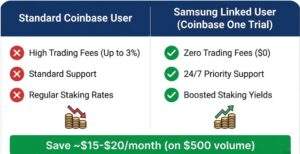
| Feature | Standard Coinbase User | Samsung Linked User (Coinbase One Trial) |
| Trading Fees | High (Up to 3% per trade) | $0 (Zero Fees) |
| Account Protection | Standard 2FA | $1M Account Protection Warranty |
| Customer Support | Email/Chat Bots | 24/7 Priority Phone Support |
| Staking Rewards | Standard Rates | Boosted Yields (Higher APY) |
| Cost | Free Account | FREE for 3 Months (via Samsung Promo) |
The Math: If you trade just $500 worth of crypto a month, the trading fees on a standard account could cost you ~$15-20. By linking your Samsung Wallet, you save that money instantly.
Step-by-Step Guide: The “Foolproof” Setup
Follow these detailed steps to ensure a glitch-free connection.
Phase 1: Preparation
-
Update Apps: Go to the Galaxy Store and update Samsung Wallet. Go to the Play Store and update Coinbase. Mismatched versions are the #1 cause of sync errors.
-
Disable VPN: Financial apps often block API connections if they detect a VPN. Turn it off for the setup process.
Phase 2: Execution
-
Launch Samsung Wallet.
-
Tap on Quick Access (the card view) or the Menu tab at the bottom right.
-
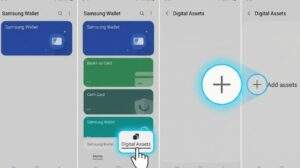
Locate the “Digital Assets” section. If you don’t see it, tap “Edit Quick Access” and enable it.
-
Tap the (+) Plus Icon next to Digital Assets.
-
Select Coinbase from the list of exchanges.
-
Note: If you don’t see Coinbase, you may be in a region where the partnership is still rolling out. (See FAQ).
-
-
A browser window will open. Enter your Coinbase Email and Password.
-
2-Factor Authentication: Enter the code sent to your text or authenticator app.
-
Authorize Permissions: You will see a screen asking to “Allow Samsung Wallet to access your account.” Click Allow.
Success! Your total portfolio balance and top asset movers will now appear in your wallet stack.
Troubleshooting: “Why isn’t my balance updating?”
-
The “Sync Lag”: Samsung Wallet does not pull data every second to save battery. If your balance looks old, pull down on the Digital Assets card to force a manual refresh.
-
Region Locking: This feature is currently optimized for US, UK, and select EU users. If you travel to a restricted jurisdiction, the balance may hide itself automatically.
Security Deep Dive: Is It Safe?
This is the question I get asked most. “If I link my wallet, can someone drain my funds if they steal my phone?”
The short answer: No.
The integration is a “View-Only” API connection.
-
They can SEE: Your balance and transaction history.
-
They CANNOT: Send crypto, withdraw funds, or buy assets without your secondary biometric authentication (Fingerprint/FaceID) inside the Coinbase app itself.
Furthermore, Samsung Knox monitors the kernel of your phone in real-time. If it detects malicious software or “rooting” attempts, it will physically lock down the Samsung Wallet app, making the data inaccessible. It is arguably safer than keeping the Coinbase app open in the background.
Pro Tip: While Samsung Wallet is secure, for amounts over $5,000, I always recommend moving your “hold” assets to a Hardware Wallet like a Ledger or Trezor. Use Samsung Wallet for your trading stack, not your life savings.

Verdict: Is the Coinbase One Promo Worth Keeping?
Here is my honest take.
Link the accounts immediately to grab the 3-month free trial. Even if you only trade casually, the zero-fee benefit is “free money.”
-
If you are an active trader: Keep the subscription after the trial. The savings on fees will pay for the $29.99 cost easily.
-
If you are a “Buy and Hold” investor: Link the account, enjoy the 3 months of boosted staking rewards, and then set a reminder to cancel before the renewal. You keep the extra yield, and you lose nothing.
Don’t leave money on the table. The setup takes 2 minutes.
Frequently Asked Questions (FAQ)
Q: Can I sell crypto directly from Samsung Wallet?
A: Currently, Samsung Wallet acts as a gateway. When you tap “Trade” or “Sell,” it will seamlessly deep-link you into the Coinbase app to finalize the transaction securely. This is a security feature, not a bug.
Q: Why don’t I see the “Digital Assets” tab?
A: This feature is device and carrier-dependent. It is available on most Galaxy S series (S20 and newer), Z Flip/Fold series, and newer Note devices. Ensure your firmware is up to date (Settings > Software Update).
Q: Does this work with Coinbase Wallet (the self-custody app)?
A: No. This integration is specifically for the Coinbase Exchange account. The self-custody “Coinbase Wallet” app is a separate entity and does not currently sync via this specific API.

Hi, I’m Dokyung, a Seoul-based tech and economy enthusiast. South Korea is at the forefront of global innovation—from cutting-edge semiconductors to next-gen defense technology. My mission is to translate these complex industry shifts into clear, actionable insights and everyday magic for global readers and investors.